

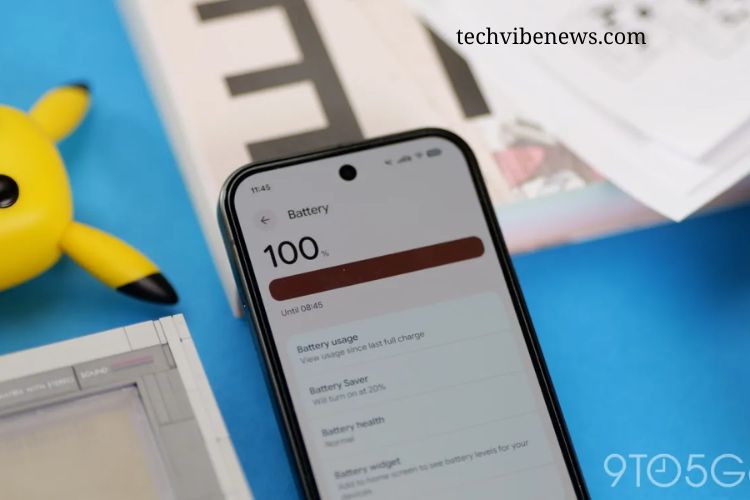
Every major smartphone update brings excitement, expectations, and a few surprises. While new features and design changes often receive the most attention, battery performance remains one of the biggest concerns for users. A faster, smarter operating system means little if it causes phones to drain power more quickly.
With the official Android 17 rollout now available for supported Pixel devices, many users are asking an important question: Has Android 17 improved Pixel battery life?
Google has positioned Android 17 as an update focused on better efficiency, smoother performance, improved background management, and a more refined user experience. However, the real test begins after users install the update and experience its impact during everyday use.
Read More: Ultimate Guide to iOS 27: Exciting New Features You Absolutely Need to Know
Android 17 Update Promises Better Efficiency
Each Android upgrade typically includes system-level improvements designed to enhance performance and optimize battery consumption. Android 17 follows this approach by focusing on cleaner background activity, improved resource management, and smarter power usage.
These changes aim to help Pixel phones manage apps more effectively, reduce unnecessary battery drain, and provide longer usage throughout the day. Features such as optimized background processes and improved system stability could potentially make a noticeable difference, especially for users who frequently multitask or rely heavily on their devices.
However, software improvements do not always create dramatic battery gains immediately. Real-world performance depends on several factors, including device age, battery health, installed apps, usage patterns, and individual settings.
Early Pixel User Experiences Show Mixed Results
Initial reactions from Pixel users suggest that Android 17’s battery improvements may vary from person to person. Some users have reported slightly better standby performance and improved screen-on time, particularly on newer Pixel models.
Recent Pixel devices appear to benefit the most from the update because they already feature newer hardware designed to work closely with Google’s latest software optimizations. Users may notice smoother performance, reduced idle battery loss, and more consistent daily endurance.
However, the improvements do not appear to be a complete battery revolution. For many users, Android 17 may offer small efficiency improvements rather than a dramatic transformation.
Older Pixel phones with aging batteries may not experience the same benefits. Battery degradation naturally reduces a phone’s ability to hold a charge, meaning software improvements cannot completely restore lost capacity. In these cases, Android 17 may simply help maintain existing performance rather than deliver noticeable battery gains.
Why Battery Results Can Differ After an Update
A major operating system update often changes how a phone manages files, apps, and background activity. During the first few days after installation, users may experience unusual battery behavior as the device adjusts.
Android 17 may temporarily consume additional power while it completes background tasks, reorganizes system data, and updates applications. This can create the impression that battery life has become worse immediately after the update.
Many users judge an update too quickly and assume the results they see within the first day represent long-term performance. In reality, battery usage often stabilizes after several days of normal operation.
Factors such as app synchronization, location services, screen brightness, gaming, streaming, and network usage also influence battery performance. A phone that appears to have worse battery life after an update may simply be performing additional background tasks before returning to normal.
The “Placebo Effect” After Software Updates
Software updates often create a psychological effect among users. After installing a major update, people naturally pay closer attention to their phone’s performance.
Some users may feel that their battery has dramatically improved because they expect positive changes. Others may immediately notice every small issue because they are actively monitoring their device after the update.
This “placebo effect” can influence how people perceive battery performance. A phone may seem faster and more efficient simply because users are excited about the new software experience.
However, this does not mean every improvement is imaginary. Operating system updates can genuinely solve battery-related problems caused by outdated software, poorly optimized apps, or background processes running unnecessarily.
How Android 17 Could Improve Battery Performance
A fresh operating system installation can provide several benefits that indirectly improve battery life. Android 17 may help Pixel devices by addressing issues that developed over time.
One major advantage is better background app management. Applications that continue running unnecessary processes can silently consume battery power. Improved system controls can reduce this hidden drain and help devices last longer.
Security improvements can also contribute to better efficiency. Malicious apps, outdated services, or poorly optimized software may negatively affect battery performance. Updated security features help prevent unwanted activity that could impact power consumption.
Additionally, improved system stability can reduce crashes, excessive processing, and unnecessary resource usage. These changes may not always be visible, but they can contribute to a smoother and more efficient experience.
Pixel Battery Performance: Upgrade Worth It?
For Pixel users considering Android 17, battery improvements should be viewed as a bonus rather than the main reason to upgrade. The update brings various enhancements beyond battery performance, including better system refinement, improved security, and a more polished Android experience.
Users with newer Pixel models may notice small but meaningful improvements in daily battery endurance. Those using older devices may see limited changes, especially if their battery health has already declined.
Ultimately, Android 17’s battery impact depends on how each person uses their phone. A heavy gamer, frequent streamer, or power user may notice different results compared with someone who mainly uses their Pixel for calls, messaging, and basic tasks.
Share Your Android 17 Battery Experience
Android 17 represents another step forward in Google’s effort to make Pixel devices smarter, faster, and more efficient. While early impressions show promising signs, the true battery impact will become clearer as more users spend weeks with the update.
Have you noticed better battery life after installing Android 17 on your Pixel? Are you enjoying longer screen time, improved standby performance, or has your charger become more important than ever?
Share your experience and let other Pixel users know your device model, daily usage habits, and battery results after updating to Android 17. Your feedback could help reveal whether Google’s latest update delivers a genuine battery improvement or simply a smoother software experience.
Frequently Asked Questions:
Does Android 17 improve battery life on Pixel phones?
Android 17 introduces several efficiency improvements, including better background app management and optimized system performance. Some Pixel users may notice improved battery endurance, while others may experience only minor changes depending on their device model and usage habits.
Which Pixel devices benefit most from Android 17 battery improvements?
Newer Pixel models are likely to experience the biggest benefits because their hardware is designed to work closely with Google’s latest software optimizations. Older Pixel devices may see smaller improvements, especially if their batteries have already degraded.
Why is my Pixel battery draining faster after installing Android 17?
Battery drain immediately after an update can happen because the phone performs background tasks, updates apps, and reorganizes system files. Battery performance often stabilizes after a few days of regular use.
Can Android 17 fix existing Pixel battery problems?
Android 17 can resolve some battery issues caused by software bugs, inefficient background processes, or outdated system behavior. However, it cannot restore battery capacity lost due to physical battery aging.
How long does it take to notice Android 17 battery improvements?
Most users should give their Pixel device several days to adjust after installing Android 17. Battery performance usually becomes clearer after normal usage patterns return and background optimization processes finish.
Does Android 17 increase Pixel screen-on time?
Some users may experience slightly better screen-on time due to improved power management. However, results vary depending on brightness settings, apps used, network connection, and overall phone usage.
Why do some Pixel users report no battery improvement after Android 17?
Battery improvements depend on multiple factors, including device age, battery health, installed apps, and personal usage habits. Software updates may provide efficiency improvements that are not always noticeable in everyday use.
Conclusion
Android 17 brings promising efficiency upgrades and smarter power management features that could improve battery performance on Pixel devices. While some users may notice better standby time, smoother performance, and slightly longer daily usage, others may see only minimal changes after updating. Battery improvements depend heavily on factors such as device model, battery health, installed apps, and personal usage habits. Newer Pixel phones may benefit more from Google’s latest optimizations, while older devices with worn batteries may not experience significant gains.
